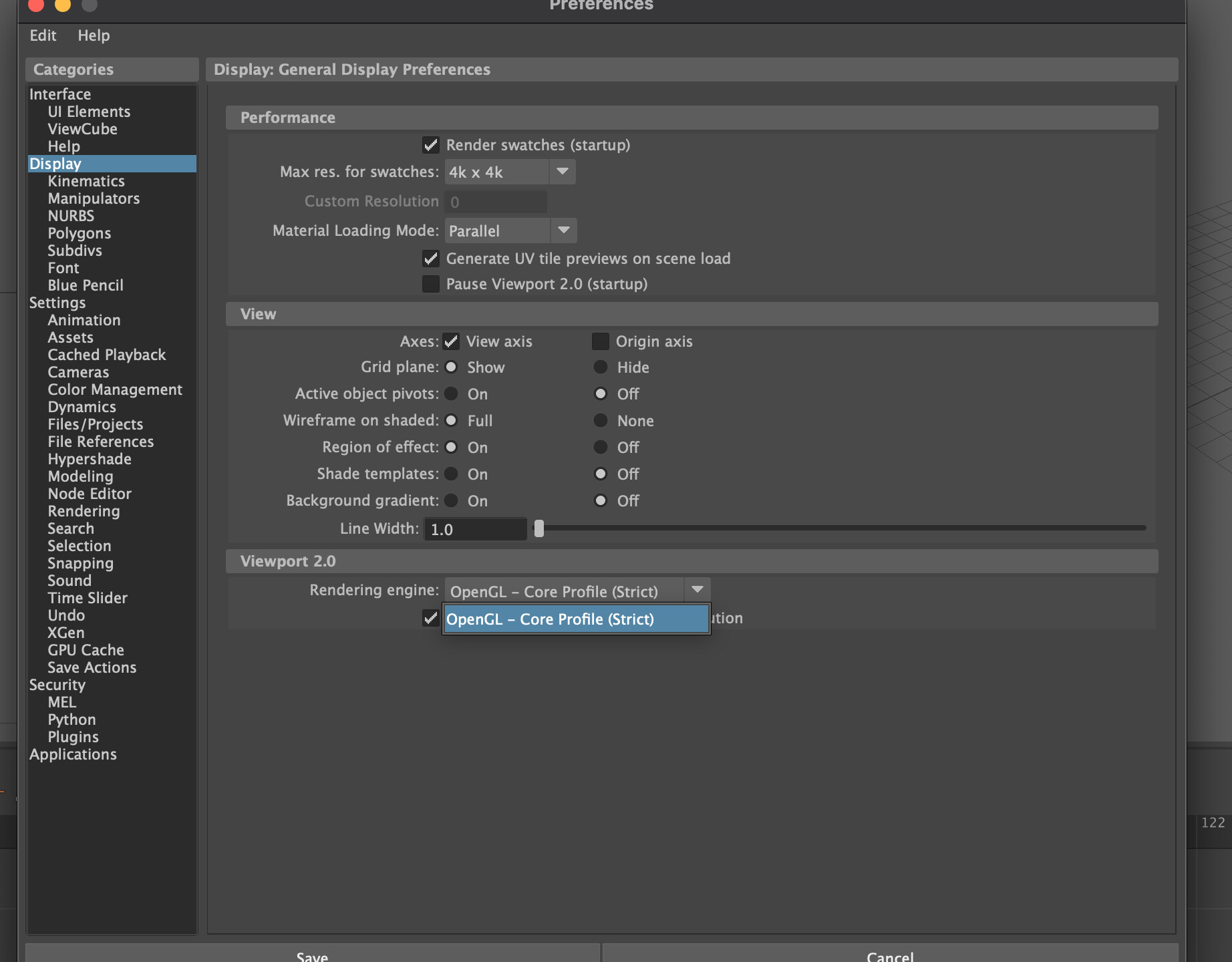
Hi, I recently got a new license and installed the new version of Ragdoll. For some reason the capsule and interface doesn’t render on my viewport on any Maya version. I can see the physics behind happening but I don’t see any visual of ragdoll as use to be.
Do you have any suggestions?
Mac OS
M4 Max
Maya 2024 to 2026
Hi @Rodrigo_Dutra, welcome to the forums and thanks for sharing this here.
Would it be possible to share a screenshot of what you do see? And can you have a look in your Script Editor from before you loaded the plug-in, or opened the scene, to when you first used the Manipulator?
Oh, and which version of Ragdoll is this?
Can you take a look on this small video that I recorded 
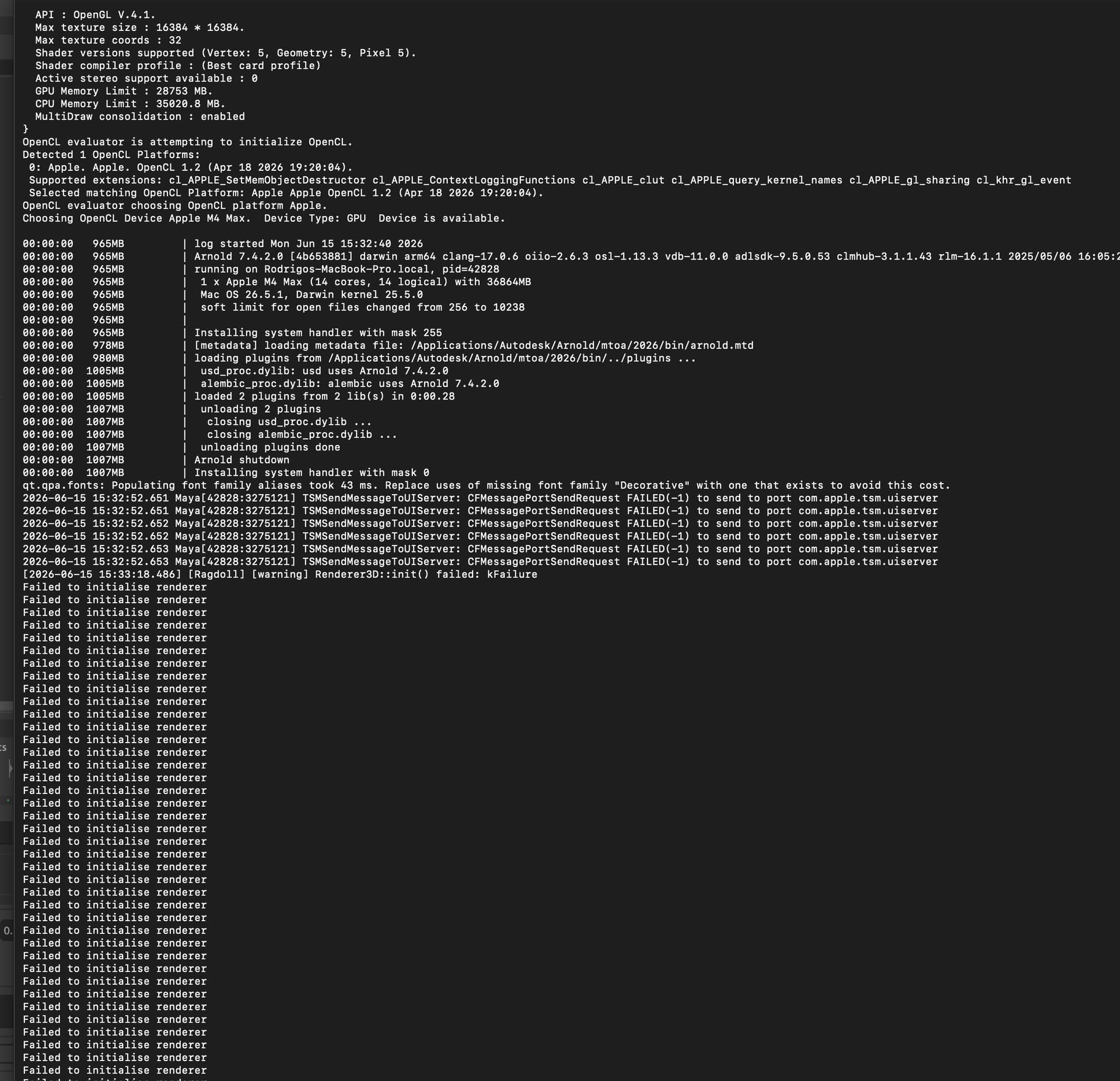
Yes, perfect. The script editor has no messages, would you be able to launch Maya from your terminal so we can see whether there are any messages there?
/Applications/Autodesk/maya2026/Maya.app/Contents/bin/maya
It will display a bunch of text once you launch, and then some more text once you load the Ragdoll plug-in. And then some more text once you display some Ragdoll in your viewport for the first time. That’s the text we’re looking for.
Also, in your Maya preferences under the Display tab, can you have a look and make sure you have selected one of the “Core Profile” options, and not Legacy?
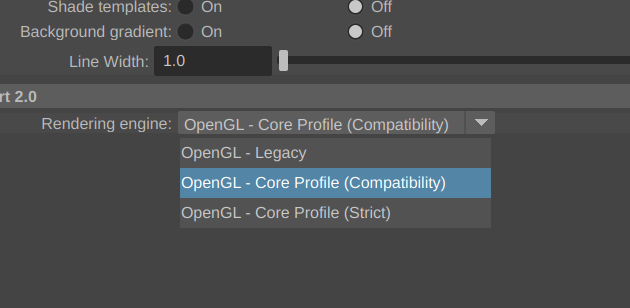
My Maya does have just Strict version
Would be that information?
Yes, that’s it. Looks like an issue on our end. Are you able to stick with the non-early access version 2025.10.06 for now while we investigate?
Thats ok! Im sorry but how can I do that on my Mac? the 2025.10.06 is working on Mac silicon? Can you show me how I can put previews version on?
That’s true, it’s quite tricky and requires you to run Maya under Rosetta.
Nevermind that, I’ll get back to you once we’ve investigated and addressed this. Expect 1-4 days.
1 Like
Yes I, I was using with rosetta on in may preview license, the performance is a bit drop, but I can use it. My question is, How can I change my installed version in my mac once I have this new one installed, Can you send me some quick tutorial. on Mac is always confuse. 
Aha, yes in that case, Ragdoll is nothing but a folder + .mod file in your /Users/Shared/Autodesk/modules/maya directory. Remove any version, and it will be gone. Maya always looks for the latest version in there.
Amazing! Thank you so much