Now supporting Maya 2027! Our latest Maya update is here, and it comes with exciting new additions. Most importantly… Ragdoll for Maya is now stable and production ready, no more Early Access
Thank you to everyone who has supported our Early Access release for Maya. We’re excited to move on to the next step in our Ragdoll 4.0 roadmap: Posing
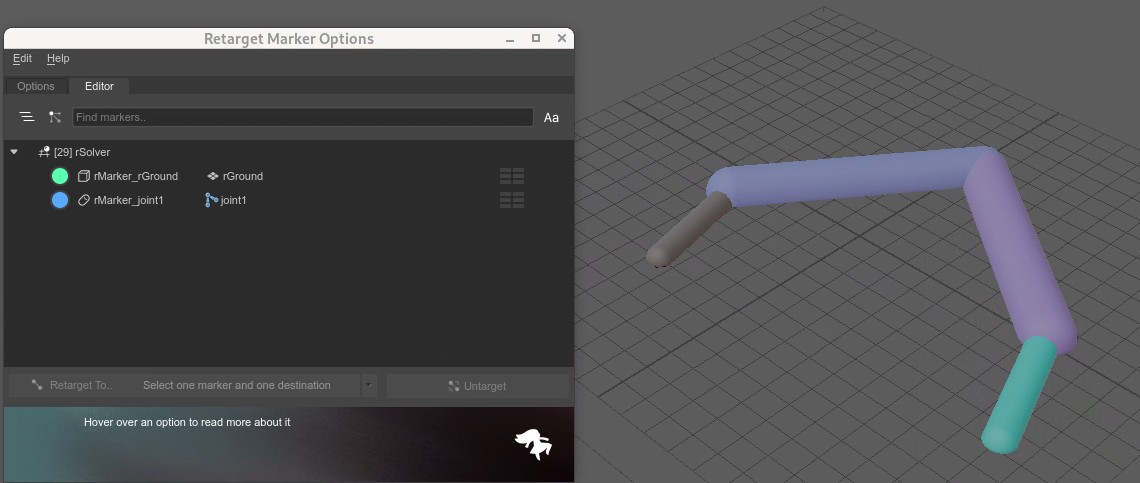
I’ve recently updated to ragdoll 2026.06.24 and am finding that when I import physics onto a character, and check the retarget marker editor, it all seems fine.
However, when I save the scene and then reopen the Retarget Marker Editor is empty except for the root.
The C_root_JNT_rGroup is still in the outliner, the markers are all there in the viewport. And i can select the via the manipulator, and i can see all the markerts in the Attribute Spreadsheet, but nothing is in the Retarget Editor except the root.
Also, when I try and delete the C_root_JNT_rGroup via the outliner, the group is removed, but the markers remain.
From today you’ll have access to a fully scalable UI, which you can edit with Ctrl and ±, the same way you would in the web browser. This also means that Ragdoll now scales between displays.
Here are some of the other features we’ve launched today:
Copy/Paste: Use hotkeys to snap simulation to animation and vice versa.
Analytic Recording: A new way of recording your simulation back onto your controls, faster and more precise than Match Transforms.
Viewport Responsiveness: improved performance to give your fans a break.


 Download Ragdoll: Download - Learn Ragdoll
 Read the full release notes: