Hi! I have been trying to find a solution but couldn’t find anything.
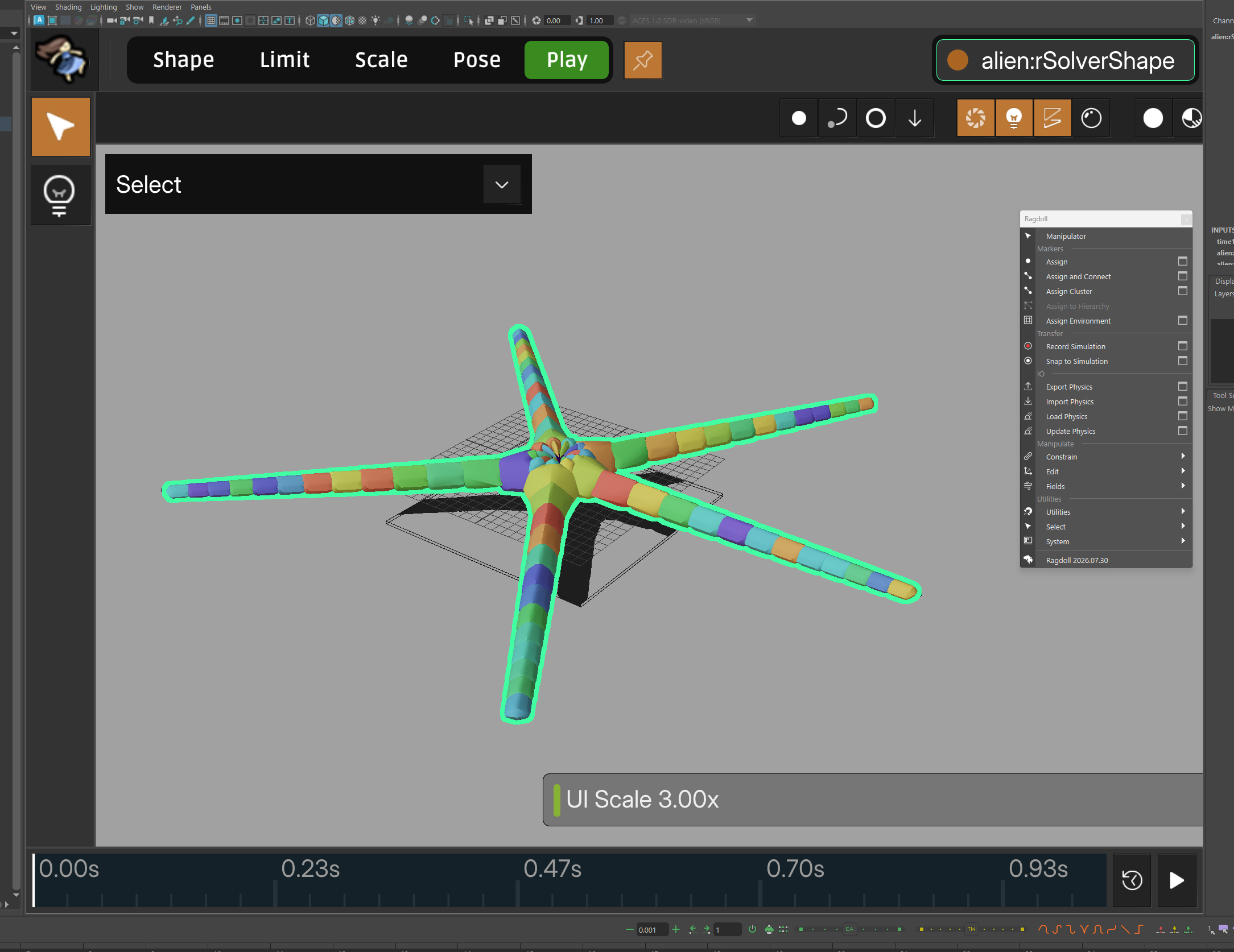
I updated to the latest version 20206.07.30 and the manipulator does nothing.
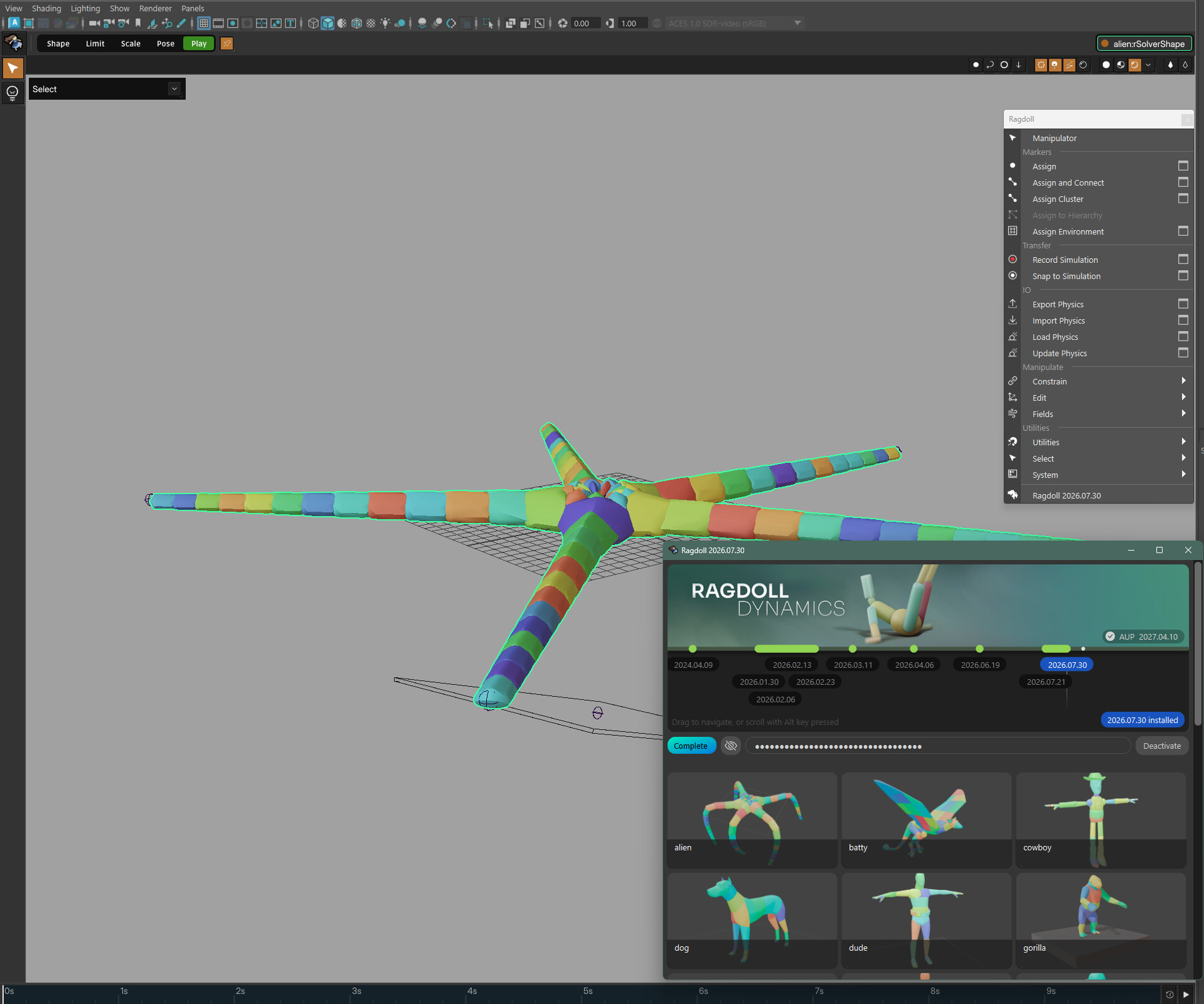
The UI pops up, but clicking anywhere makes it disappear.
Am I missing anything?
Cheers.
Hi! I have been trying to find a solution but couldn’t find anything.
I updated to the latest version 20206.07.30 and the manipulator does nothing.
The UI pops up, but clicking anywhere makes it disappear.
Am I missing anything?
Cheers.
Hi @Milio 
I have tested on my side, but not sure what went wrong, so I need a bit more details from you 
What feature were you expecting when entering the manipulator mode?
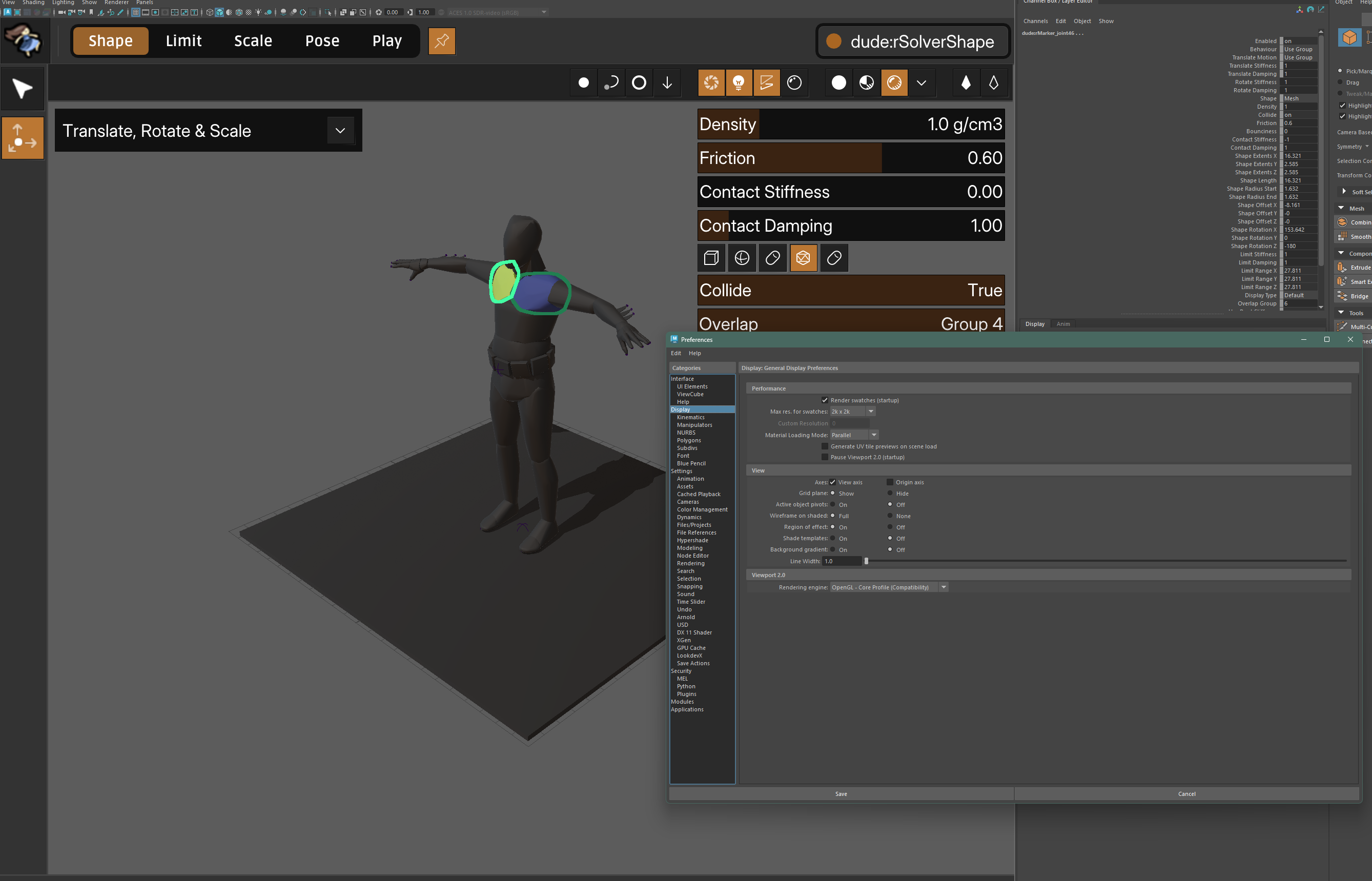
By “UI”, I assume you meant the manipulator UI, but I cannot make it disappear by clicking anywhere in the viewport. If it was manipualtor UI disappearing, the UI that has Shape | Limit | Scale | Pose | Play tabs on the top-left corner, that would mean the solver or marker node was not selected. If so, can you tell what was selected instead?
Exactly, the UI appears, but trying to click on anything makes the UI disappear.
I expected, like the previous version, to be able to change rigid bodies, limits etc.
Thanks for the screen recording!
Looks like there are some monitor DPI issue. When you move your mouse cursor over any button, can you see any button become a little bit brighter?
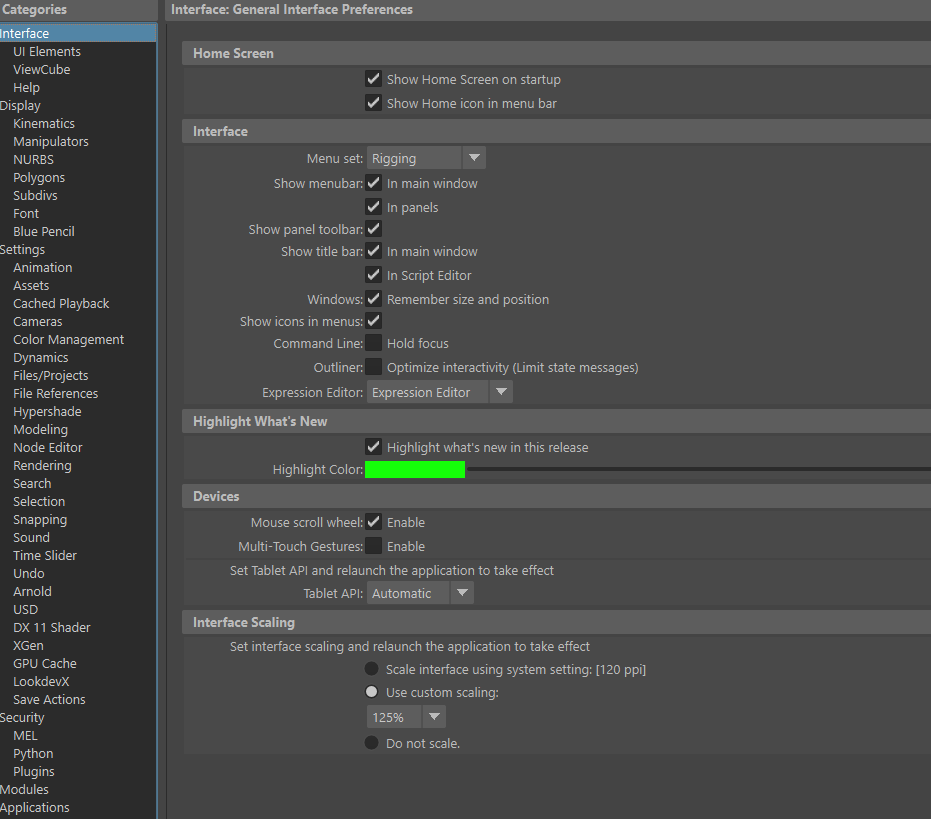
Please try Ctrl + = and Ctrl + -, that should scale up/down manipulator UI, see if that helps.
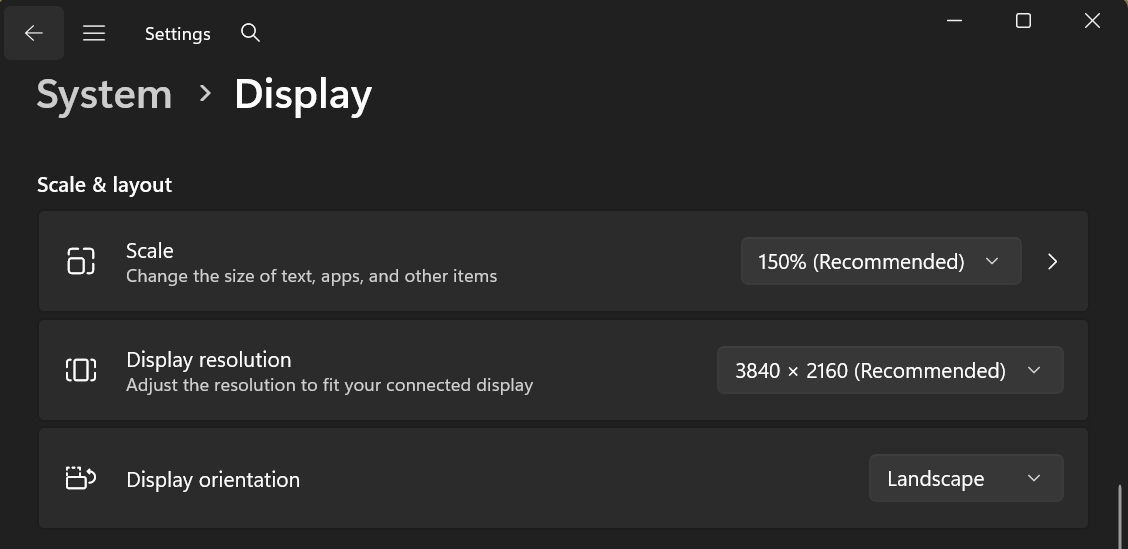
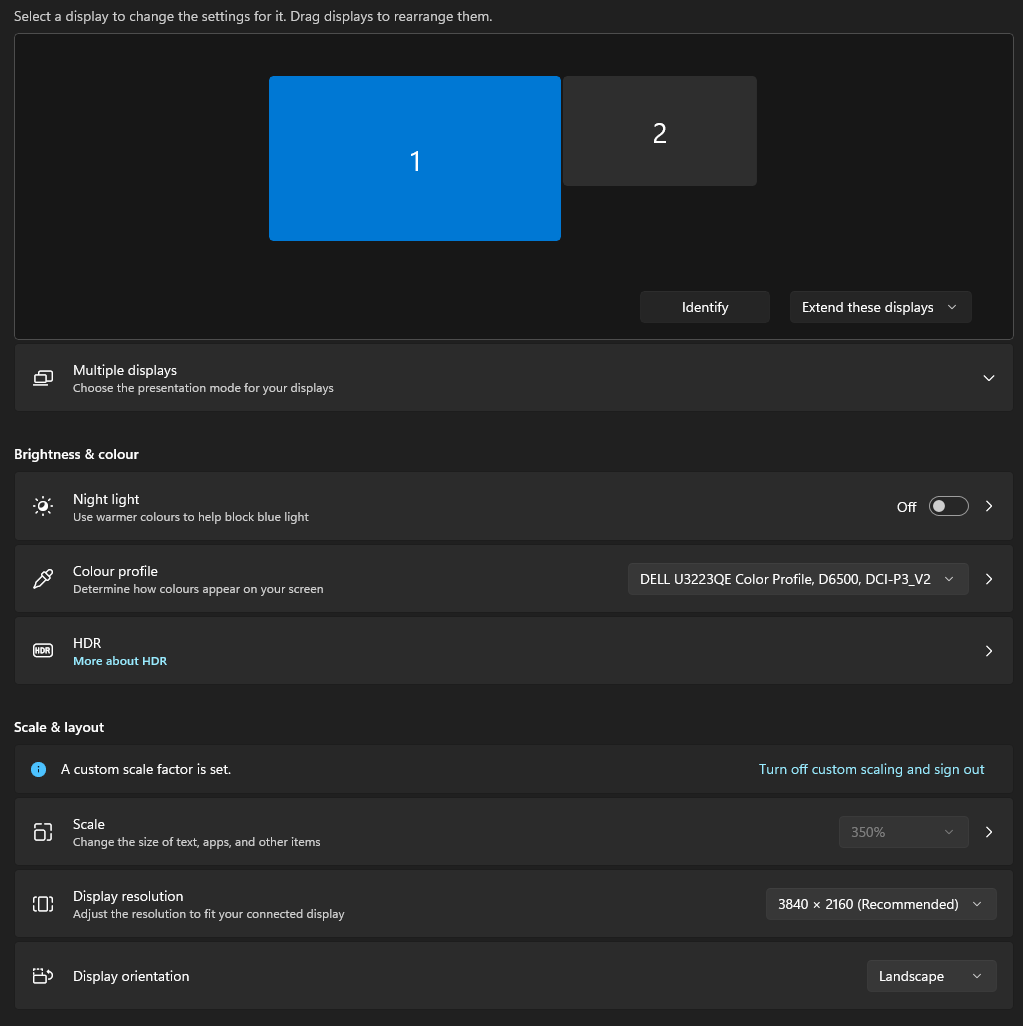
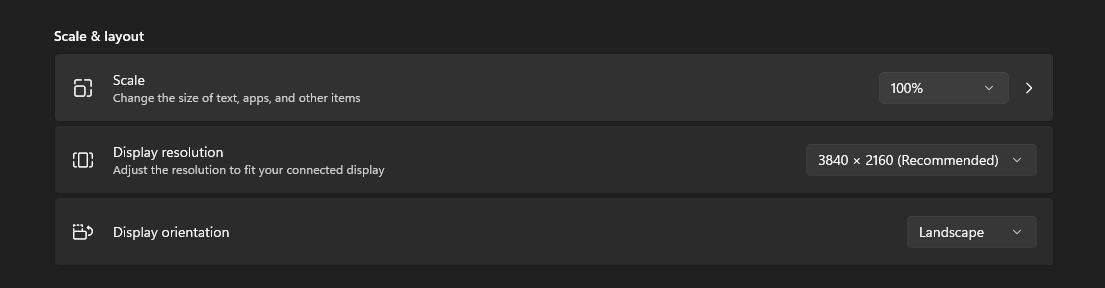
Also, from Windows Settings, can you tell me your monitor display resolution and scale?
Making UI bigger is not fixing it. Nothing happens when going over the icons.
,
Thanks @Milio
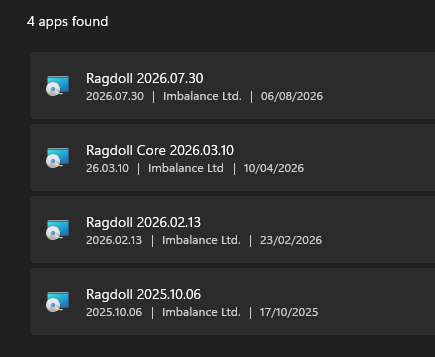
Did the manipulator from Ragdoll 2026.02.13 works for you? What was the last working verison on you side?
Hi @Milio
Here is a Python script that we need you to run in Maya.
 ragdoll_support_probe.py (10.8 KB)
It will print out details like monitor dimensions into your Maya ScriptEditor and hope you can share with us. No sensitive info will be exposed, safe to paste here.
Steps to run:
Here is a video guide:
Thank you!
========================================================================
RAGDOLL SUPPORT PROBE (DPI + window-under-cursor)
========================================================================

[host]
  platform                       Windows 10
  Maya version                   Autodesk MAYA 2026.3.0-9.0.PFIX
  Ragdoll plug-in version        2026.07.30
  MQtUtil.dpiScale(1.0)          1.0
  ragdollUiScale optionVar       3.0

[env] Qt-related environment inside Maya
  QT_SCALE_FACTOR                None
  QT_ENABLE_HIGHDPI_SCALING      0
  QT_AUTO_SCREEN_SCALE_FACTOR    None
  QT_SCREEN_SCALE_FACTORS        1;1
  QT_QPA_PLATFORM                windows:darkmode=0
  QT_DEVICE_PIXEL_RATIO          None

[qt] active viewport widget
  devicePixelRatioF()            1.0
  logical size (w x h)           2553 x 1688
  screen name                    DELL U3223QE
  screen geometry                (0, 0, 3840, 2160)

[maya] M3dView port size (render-target proxy)
  portWidth x portHeight         2553 x 1688

[derived] the ratio Maya ACTUALLY renders at
  portWidth  / widget.width()  = 2553 / 2553 = 1.0000
  portHeight / widget.height() = 1688 / 1688 = 1.0000
  qt devicePixelRatioF()       = 1.0000
  -> AGREE

[qt] every screen Qt can see  (* = Qt's primary)
  * DELL U3223QE             dpr=1.0    geom=(0, 0, 3840, 2160)  <- Maya's viewport is here
    DELL U2724D              dpr=1.0    geom=(3840, 0, 2560, 1440)

========================================================================
NOW CLICK directly on a Ragdoll button that ignores your mouse.
The click still reaches Maya as usual; the probe samples that
exact spot. (Auto-samples after 60s if you do not click.)
========================================================================

(sampling: 60s timeout, no click seen)
========================================================================
WINDOW-UNDER-CURSOR SAMPLE (cursor should be over the viewport)

[qt]  QCursor.pos()            (4015, 678)
[qt]  widgetAt -> QWidget (qt_scrollarea_viewport)

[w32] GetCursorPos             (4015, 678)   <- compare with QCursor.pos
[w32] WindowFromPoint -> maya.exe                 class=Qt653QWindowIcon             title=Script Editor            exstyle=[-]

[w32] visible windows covering this point, top of z-order first:
      (healthy: maya.exe first; anything above it is the suspect)
  1. maya.exe                 class=Qt653QWindowIcon             title=Script Editor            exstyle=[-]
  2. chrome.exe               class=Chrome_WidgetWin_1           title=Manipulator not working  exstyle=[-]
  3. notepad++.exe            class=Notepad++                    title=C:\Users\EmilioSerrano\D exstyle=[-]
  4. OUTLOOK.EXE              class=rctrl_renwnd32               title=Inbox - emilio.serrano@a exstyle=[-]
  5. explorer.exe             class=Progman                      title=Program Manager          exstyle=[-]

DONE. Copy ALL output from the first banner down and send it back.
========================================================================
Hi @Milio
Looks like there was no mouse click after script execution? Or you did, which might be another problem that is unrelated to DPI scaling.
I have updated the test script, please download it here.
ragdoll_support_probe_v2.py (16.6 KB)
Steps to run:
 - Ragdoll manipulator UI button
 - Empty area of the Maya 3D viewport
 - Maya UI, shelf or top mean bar
Here is a video guide:
========================================================================
RAGDOLL SUPPORT PROBE (DPI + window-under-cursor)
========================================================================

[host]
  platform                       Windows 10
  Maya version                   Autodesk MAYA 2026.3.0-9.0.PFIX
  Ragdoll plug-in version        2026.07.30
  MQtUtil.dpiScale(1.0)          1.0
  ragdollUiScale optionVar       1.5

[env] Qt-related environment inside Maya
  QT_SCALE_FACTOR                None
  QT_ENABLE_HIGHDPI_SCALING      0
  QT_AUTO_SCREEN_SCALE_FACTOR    None
  QT_SCREEN_SCALE_FACTORS        1;1
  QT_QPA_PLATFORM                windows:darkmode=0
  QT_DEVICE_PIXEL_RATIO          None

[qt] active viewport widget
  devicePixelRatioF()            1.0
  logical size (w x h)           1958 x 1687
  screen name                    DELL U3223QE
  screen geometry                (0, 0, 3840, 2160)

[maya] M3dView port size (render-target proxy)
  portWidth x portHeight         1958 x 1687

[derived] the ratio Maya ACTUALLY renders at
  portWidth  / widget.width()  = 1958 / 1958 = 1.0000
  portHeight / widget.height() = 1687 / 1687 = 1.0000
  qt devicePixelRatioF()       = 1.0000
  -> AGREE

[qt] every screen Qt can see  (* = Qt's primary)
  * DELL U3223QE             dpr=1.0    geom=(0, 0, 3840, 2160)  <- Maya's viewport is here
    DELL U2724D              dpr=1.0    geom=(3840, 0, 2560, 1440)

========================================================================
NOW follow the steps below, ONE CLICK PER STEP, and do not
click anything else in between. Each click you make should
print a '[press seen]' line -- note which clicks do NOT.
========================================================================

[step 1/3] CLICK the Ragdoll button that ignores your mouse.
  [press seen] MousePress  receiver=QWidgetWindow (QWidgetClassWindow)  source=MouseEventNotSynthesized  at=(988, 218)  under=other UI: QmayaDXWidget
  (note: expected a 3D viewport click here, this one was over: other UI: QmayaDXWidget)

[step 2/3] CLICK once on an EMPTY area of the 3D viewport.
  [press seen] MousePress  receiver=QmayaDXWidget (-)  source=MouseEventNotSynthesized  at=(988, 218)  under=other UI: QmayaDXWidget
select -cl  ;
  [press seen] MousePress  receiver=QWidgetWindow (QWidgetClassWindow)  source=MouseEventNotSynthesized  at=(1664, 593)  under=other UI: QmayaDXWidget
  (note: expected a 3D viewport click here, this one was over: other UI: QmayaDXWidget)

[step 3/3] CLICK once on a shelf button or a menu. This LAST click ends the test and prints the final report.
  [press seen] MousePress  receiver=QmayaDXWidget (-)  source=MouseEventNotSynthesized  at=(1664, 593)  under=other UI: QmayaDXWidget
  [press seen] MousePress  receiver=QWidgetWindow (QmayaMenuBarClassWindow)  source=MouseEventNotSynthesized  at=(1396, 46)  under=other UI: QmayaMenuBar

All steps done -- compiling the report...
  [press seen] MousePress  receiver=QmayaMenuBar (-)  source=MouseEventNotSynthesized  at=(1396, 46)  under=other UI: QmayaMenuBar

(report triggered by: all steps completed)

[qt]  all press-like input seen (mouse, tablet, touch), in order:
  1. MousePress  receiver=QWidgetWindow (QWidgetClassWindow)  source=MouseEventNotSynthesized  at=(988, 218)  under=other UI: QmayaDXWidget
  2. MousePress  receiver=QmayaDXWidget (-)  source=MouseEventNotSynthesized  at=(988, 218)  under=other UI: QmayaDXWidget
  3. MousePress  receiver=QWidgetWindow (QWidgetClassWindow)  source=MouseEventNotSynthesized  at=(1664, 593)  under=other UI: QmayaDXWidget
  4. MousePress  receiver=QmayaDXWidget (-)  source=MouseEventNotSynthesized  at=(1664, 593)  under=other UI: QmayaDXWidget
  5. MousePress  receiver=QWidgetWindow (QmayaMenuBarClassWindow)  source=MouseEventNotSynthesized  at=(1396, 46)  under=other UI: QmayaMenuBar
  6. MousePress  receiver=QmayaMenuBar (-)  source=MouseEventNotSynthesized  at=(1396, 46)  under=other UI: QmayaMenuBar
  NOTE: no press was over the 3D viewport. Either the viewport
  clicks never reached Qt's application filter (report this),
  or the viewport steps were skipped.
========================================================================
WINDOW-UNDER-POINT SAMPLE  (sampled at: current cursor position (no viewport click recorded))

[qt]  sample point             (1396, 46)
[qt]  widgetAt -> QmayaMenuBar ()

[w32] GetCursorPos now         (1396, 46)   vs QCursor.pos (1396, 46)  MATCH
[w32] WindowFromPoint(sample) -> maya.exe                 class=Qt653QWindowIcon             title=Maya-2026                exstyle=[-]

[w32] visible windows covering this point, top of z-order first:
      (healthy: maya.exe first; anything above it is the suspect)
  1. maya.exe                 class=Qt653QWindowIcon             title=SUNDANCE - untitled* - A exstyle=[-]
  2. explorer.exe             class=ApplicationFrameWindow       title=-                        exstyle=[-]
  3. SystemSettings.exe       class=Windows.UI.Core.CoreWindow   title=Settings                 exstyle=[-]
  4. TextInputHost.exe        class=Windows.UI.Core.CoreWindow   title=Windows Input Experience exstyle=[-]
  5. NVIDIA Overlay.exe       class=CEF-OSC-WIDGET               title=NVIDIA GeForce Overlay   exstyle=[LAYERED NOACTIVATE]
  6. explorer.exe             class=Progman                      title=Program Manager          exstyle=[-]

DONE. Copy ALL output from the first banner down and send it back.
========================================================================
Those are the test results; sorry, I was a bit busy this week. Cheers.
Thanks @Milio !
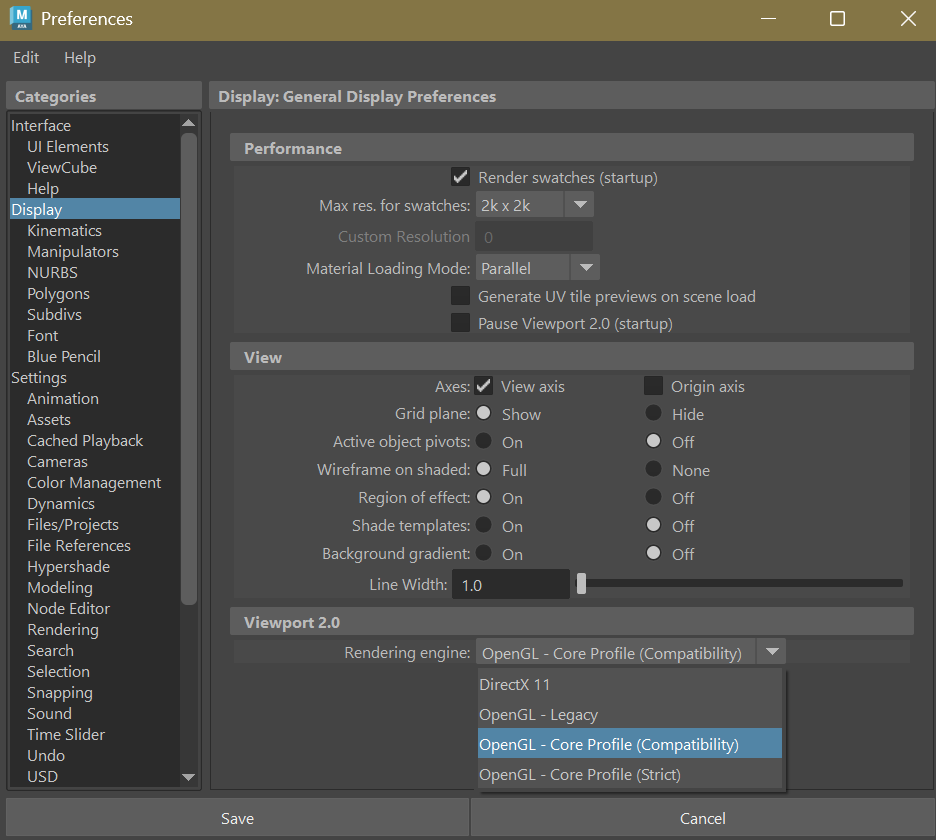
This really helps, we have confrimed the problem. It was becaue you were using DirectX as Maya viewport rendering engine.
Can you try OpenGL for now, to see if this problem goes away?
Once confirmed, we will make a fix release for this soon!
This is the usual reason anyone uses DirectX.  Thanks for reporting this @Milio, we’ll patch this up and make a new release before the week is over.
Hey @Milio
New release is up, please have a try. Thanks!
I can happily confirm that installing the latest version fixed the issue!
Thanks a lot!!