Help with configuration and collisions

Hi, actually I have a few questions, I really tried to study the materials, but most likely I really won’t understand until I go through my own examples, sorry for that.

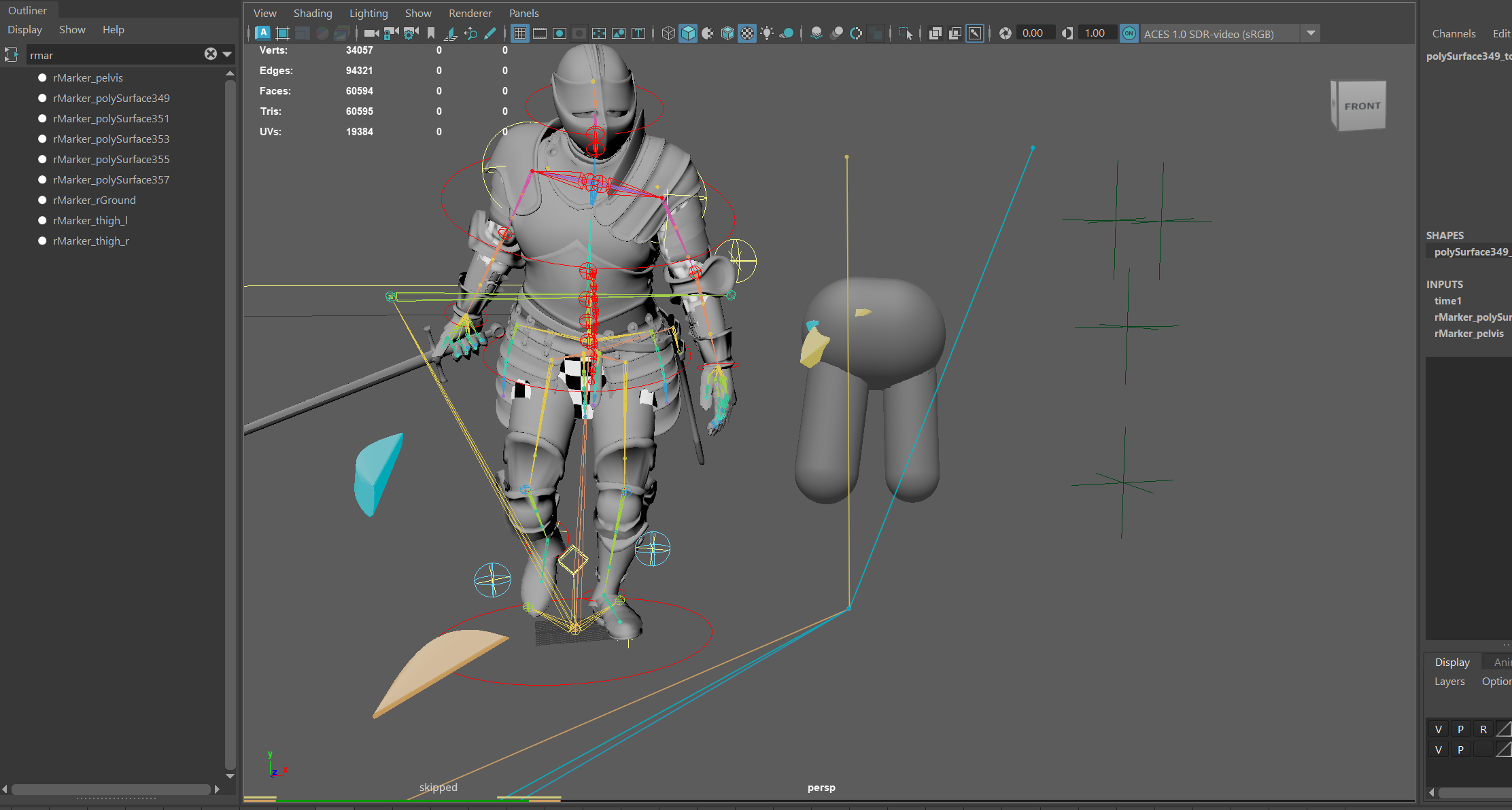
I have a model of a knight in which I want to recreate the physics of some parts.

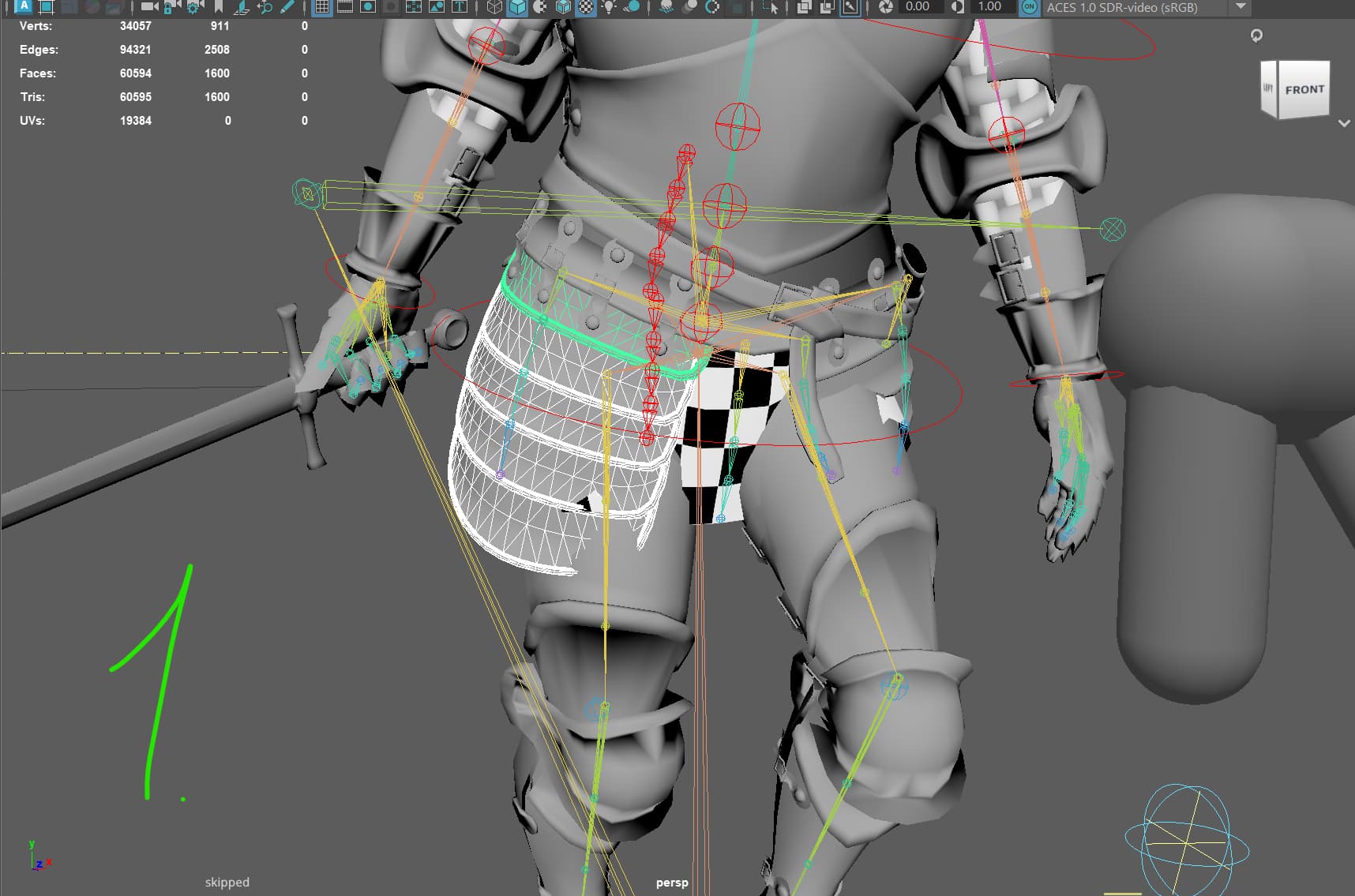
Protection on the hips, it is assembled from several elements. Screenshot 1
I need the protection to collide with the legs, the chain mail(checkerboard material) and a belt strap.
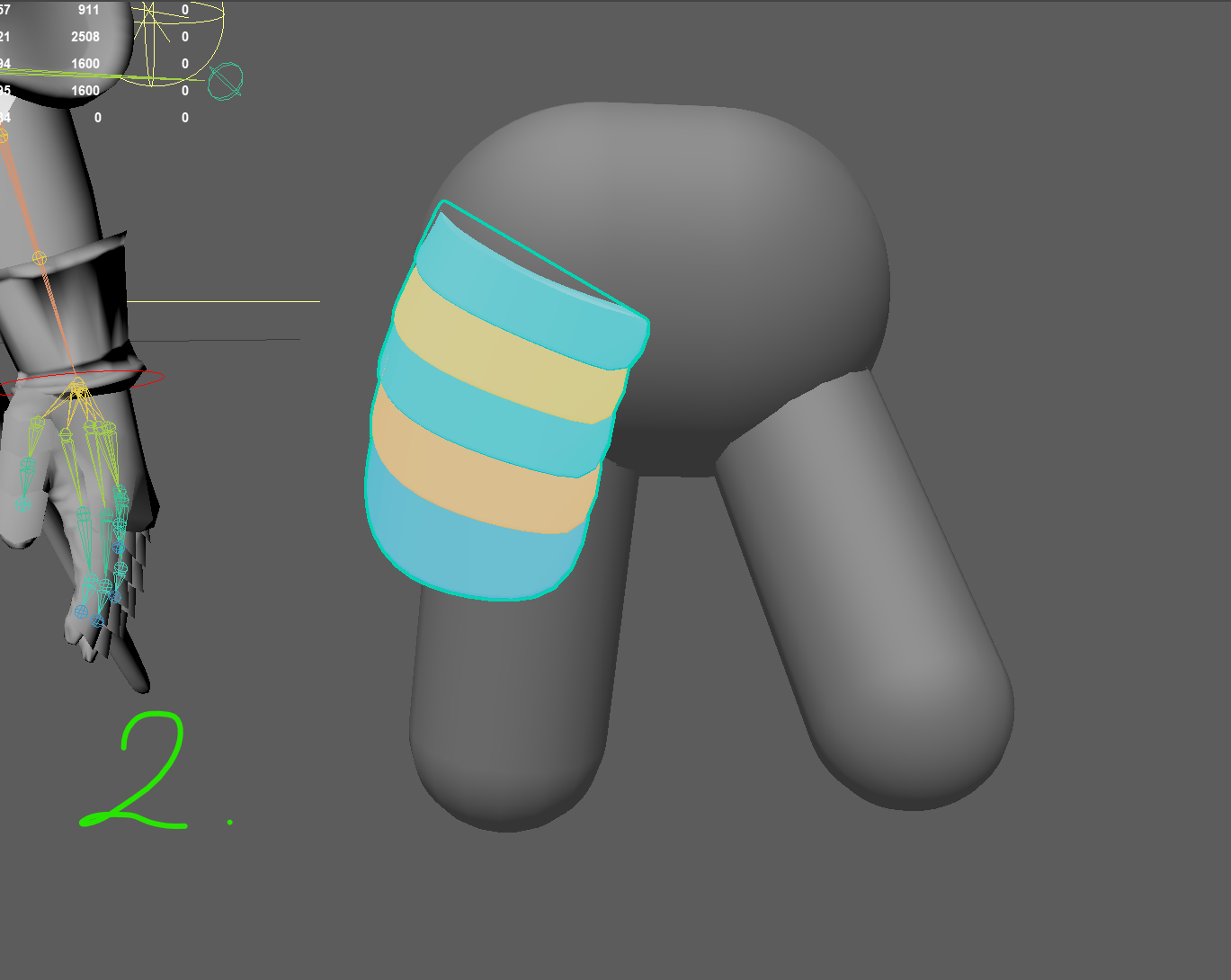
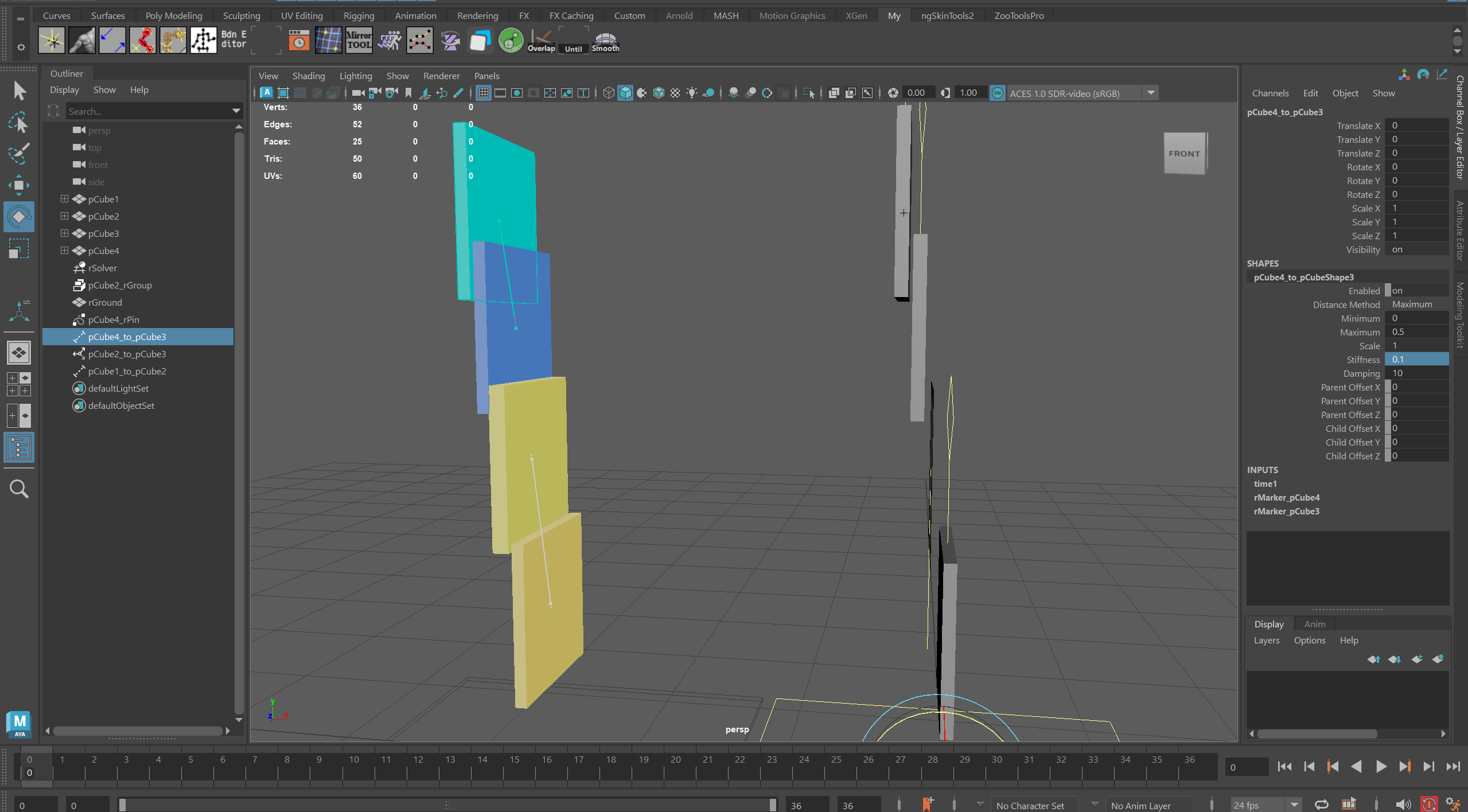
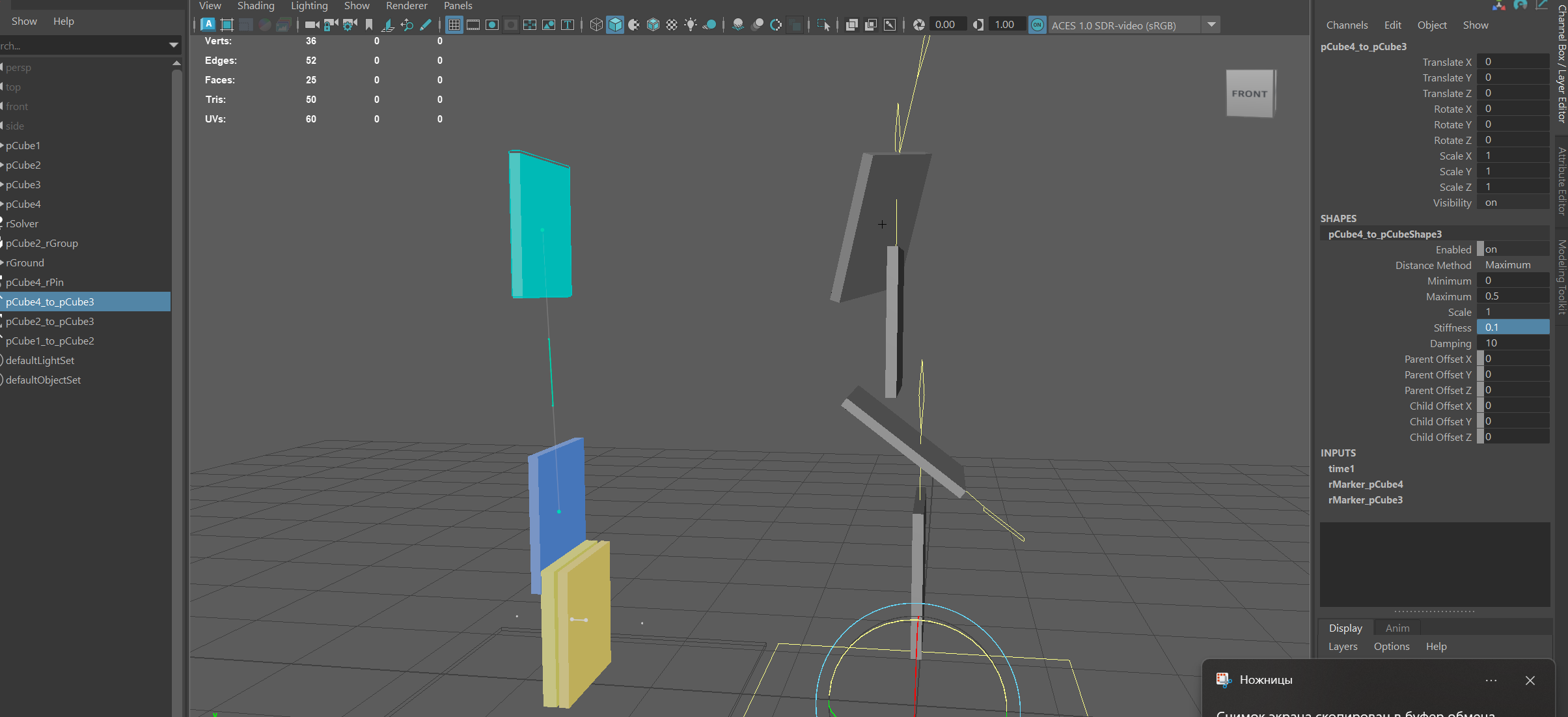
I know that there are 2 settings, these are Animated and Simulation, and I realized that if the legs are not simulated, then I choose Animated, I created capsules from joint, and the protection itself has an unusual shape, so I created it through geometry. Screenshot 2

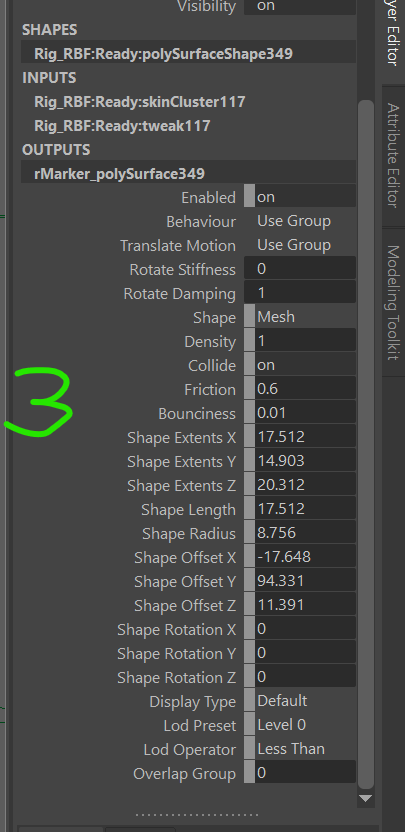
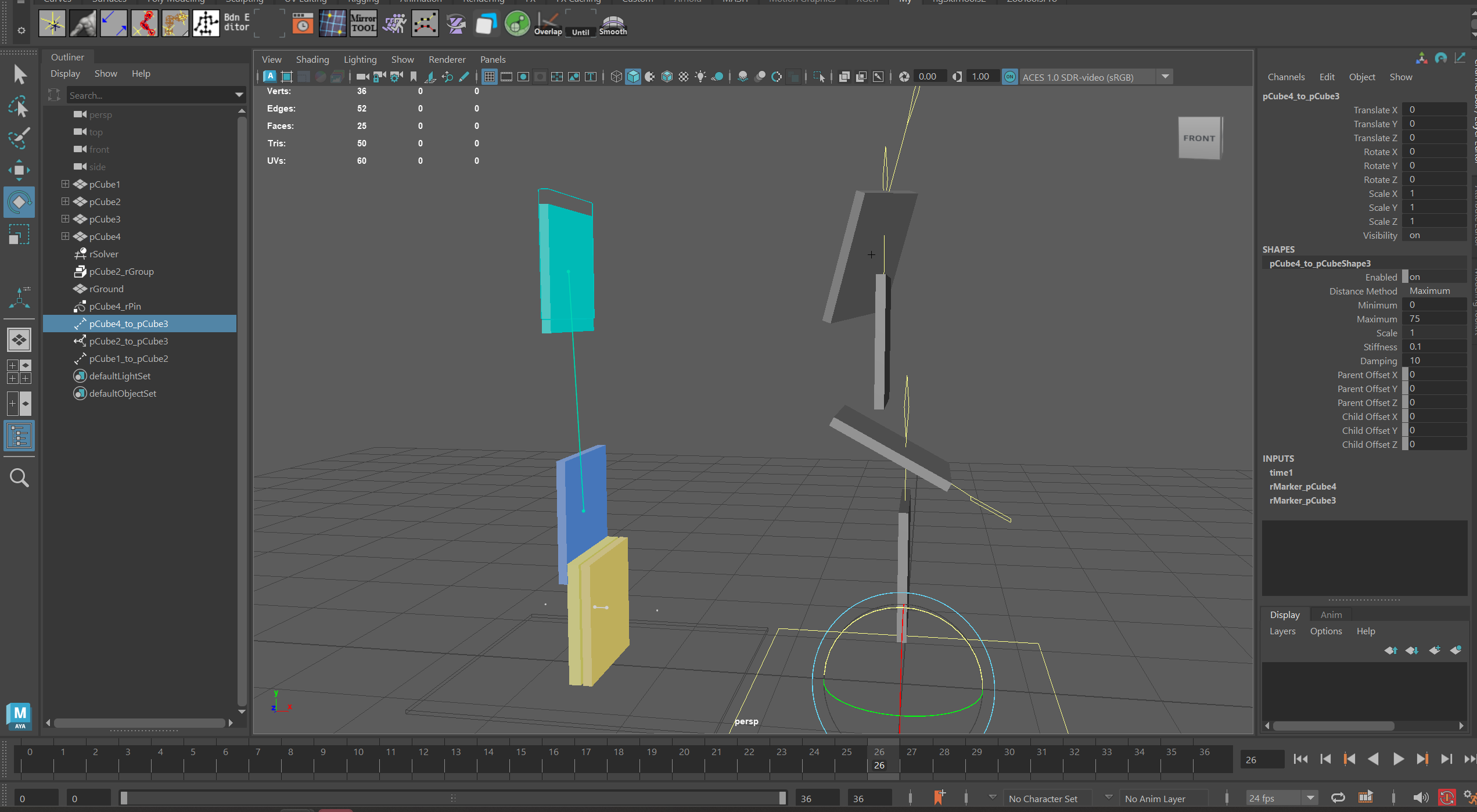
  1. The question about the settings is whether I understand correctly that they now look like this. Screenshot 3. Where do I have to select Translate Motion in Soft mode to adjust the mesh to follow the original animation and turn the Dampind and Stiffness settings there?
  2. Is there any quick way to manage the selected Markers (when I need to select several at once)? In the video, you somehow quickly selected and configured them, through Manipulation he selects one at a time, I could only use DAG object off. And then I found rMarker and selected several at once.
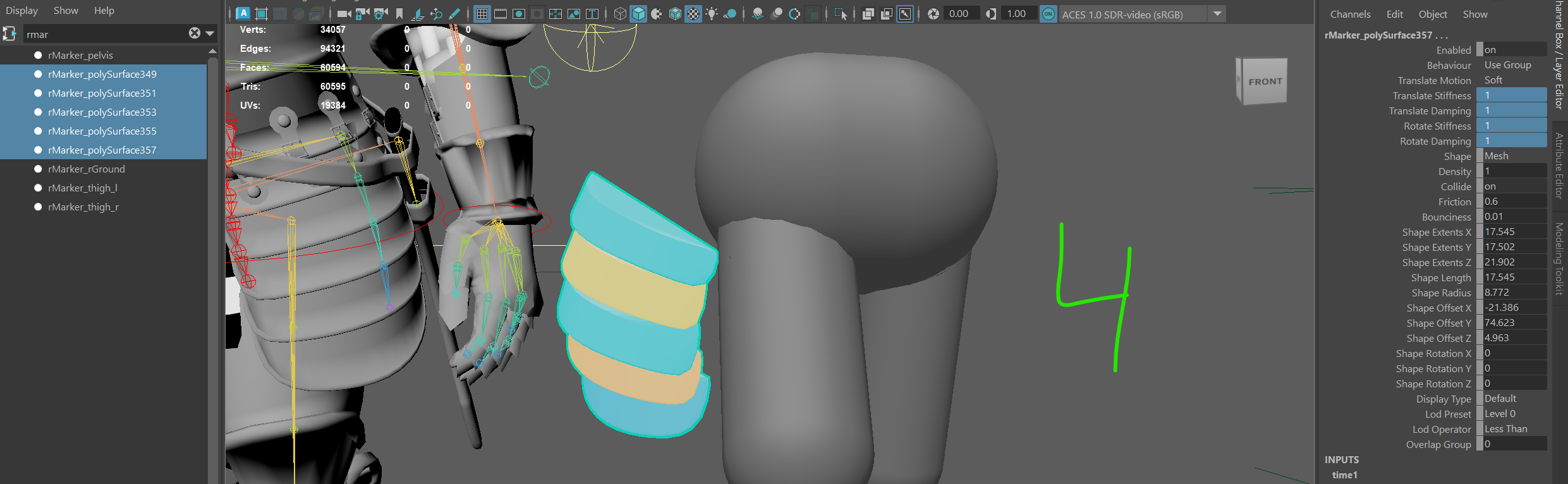
  3. When I select the elements I need, it’s worth turning on the animation that happens. Screenshot 4. These parts fly away on their own, even with these settings, I tried to fix them via Weld, but nothing helped me, how can I solve this problem?
  4. Also, if I apply Weld and attach the main protection to Pelvis, then this happens. *

*. And then I don’t understand how to solve this problem, I tried to select all the security features and disable Collision, but it didn’t help me.

Maybe I’m doing something wrong with the settings, but I stopped there, and then I want my protection to not go through my legs, chain mail, and even a strap, as I wrote above. And I also want all this to be simulated and then I would have already made a Bake and edited it as I need, so the first part is here…

It might be better if I just send a model with animation and it will be faster to show it (I can translate the video through the browser, so recording a video with voice is an option).

I really hope you can tell me.


Hi @Jolly_Inquisitor, welcome to the forums! :partying_face:

Ragdoll is less than ideal for this kind of task, this is better suited for cloth simulation (including nCloth) and procedural rigid body dynamics like what you’ll find in Houdini.

Best it can do is something along these lines.

Whereby there is one distance constraint in each corner, attached to the main body. Each “child” piece could then connect to the parent in the same way, forming a chain of connected elements.

In real life, each of those metal pieces would be held together at some pivot. This is where you’d want the distance constraint attached. In this example, I’ve (painstakingly) tuned the parent and child offsets to line up with the corners of each piece.

The associated scene, made with Ragdoll 2026.02.13 (the Early Access version), but the same technique would apply to older versions too.

monkey_king_v003.zip (133.0 KB)

Here’s a script you can use to turn the parent and child offsets into a Maya object you can tweak.

  1. Select distance constraint (shapes)
  2. Run script
  3. Edit the newly created and selected joint
from ragdoll.vendor import cmdx

def distance_constraint_locator(con):
    name = "%s_pivot" % con.parent()
    child_marker = con["childMarker"].input(type="rdMarker")
    parent_marker = con["parentMarker"].input(type="rdMarker")
    
    assert child_marker, "Missing child marker for %s" % con
    assert parent_marker, "Missing parent marker for %s" % con

    child_tm = child_marker["inputMatrix"].input()
    parent_tm = parent_marker["inputMatrix"].input()

    assert child_tm, "Missing transform for %s" % child_marker
    assert parent_tm, "Missing transform for %s" % parent_marker

    with cmdx.DagModifier() as mod:
        jnt = mod.createNode("joint", "%sShape" % name, parent=child_tm)

    with cmdx.DGModifier() as mod:
        mult = mod.createNode("multMatrix")
        decompose = mod.createNode("decomposeMatrix")

        mod.connect(jnt["worldMatrix"][0], mult["matrixIn"][0])
        mod.connect(parent_tm["worldInverseMatrix"][0], mult["matrixIn"][1])
        mod.connect(mult["matrixSum"], decompose["inputMatrix"])
        mod.connect(jnt["translate"], con["childOffset"])
        mod.connect(decompose["outputTranslate"], con["parentOffset"])

    return jnt


joints = []
for con in cmdx.sl(type="rdDistanceConstraint"):
    jnt = distance_constraint_locator(con)
    joints.append(jnt)

from maya import cmds
cmds.select(str(j) for j in joints)

Thank you, I’ll try to figure this out, it’s a very cool plugin, but it’s so difficult for me, But I understand I’ll have a lot more questions, at least I’m sure of it, can I ask them to you? :smiling_face_with_tear:

Of course, keep posting in here if it relates to the same question, or make a new thread for new questions. That way, others can search for answers via the Forum search feature.

Hello.

  1. can I quickly control the size and position of Distance?
  2. In your scene, your character moves very fast, but in my video

    Because I want to try adding distance today, as I understand it, to limit the movement of the plates.

And I don’t understand how the distance works, I saw in training that there is a minimum position and
a maximum, but no matter what I choose, it turns out that nothing works, when using weld, I see that
the mesh is fixed to the parent, but that’s not it.

When I enter -1 in Stiffness, it works, but with a value of 0 and +++ nothing happens.


Hi, sorry for the delay.

Here’s a short primer for working with the Distance Constraint, notice how the parent and child offsets control the location of the object where a distance is being constrained.

For your usecase, it’s safe to ignore the Distance Method and stick with the default. The default will try and maintain the distance from where they start.

The version in my videos are from the latest Early Access version of Ragdoll, in previous versions, the stiffness may depend on the size/mass of the object. Try a much larger value, such as 10,000 or 100,000. A value of -1 means “infinite”.

1 Like