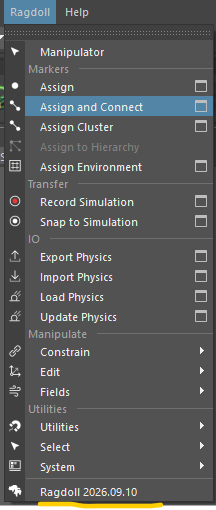
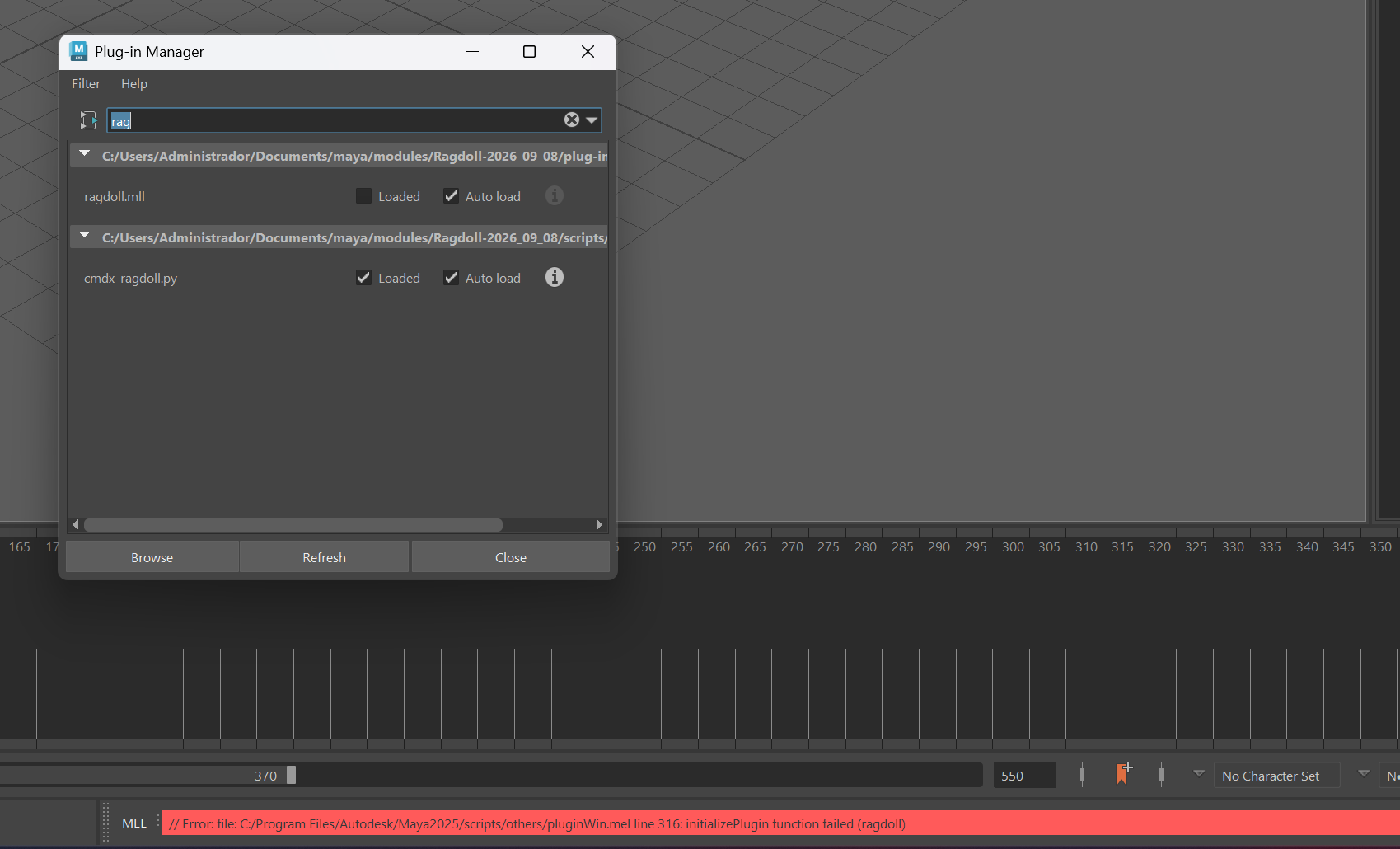
I’m having this issue when trying to install ragdoll for maya.
It only happens with the newer version of ragdoll, 2025 works fine.
Hey @Matheus_Caetano , welcome to the forum 
But sorry to hear that 
Can you copy the text from:
- the Script Editor, and
- Maya Output Window
So that we can see the full log?
Hahaha np
Thanks for getting back to me. @davidlatwe
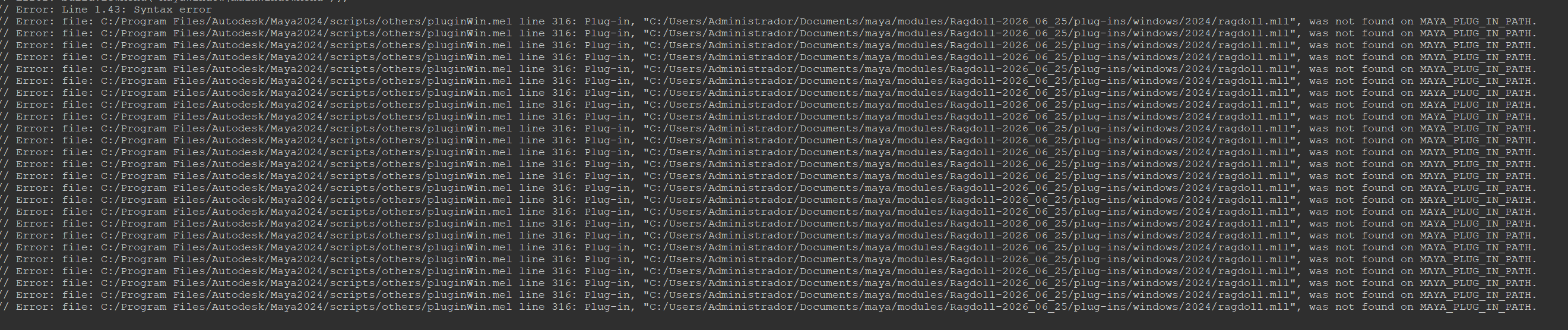
Thanks for the screenshot!
Hm, but that’s Maya 2024 loading an older version of Ragdoll 2026_06_25, and Maya was not able to find it.
In your Maya 2025 (in the original post), was loading latest Ragdoll 2026_09_08. Maya 2025 did find it, but failed to load it. I assume this 2026_09_08 is the Ragdoll version you want to load?
To sort out why Maya can’t load 2026_09_08, please launch Maya 2025 and then:
- Copy the text from Script Editor (Like what you did above) and
- Open Maya Ouptut Window, and copy the text in there too.
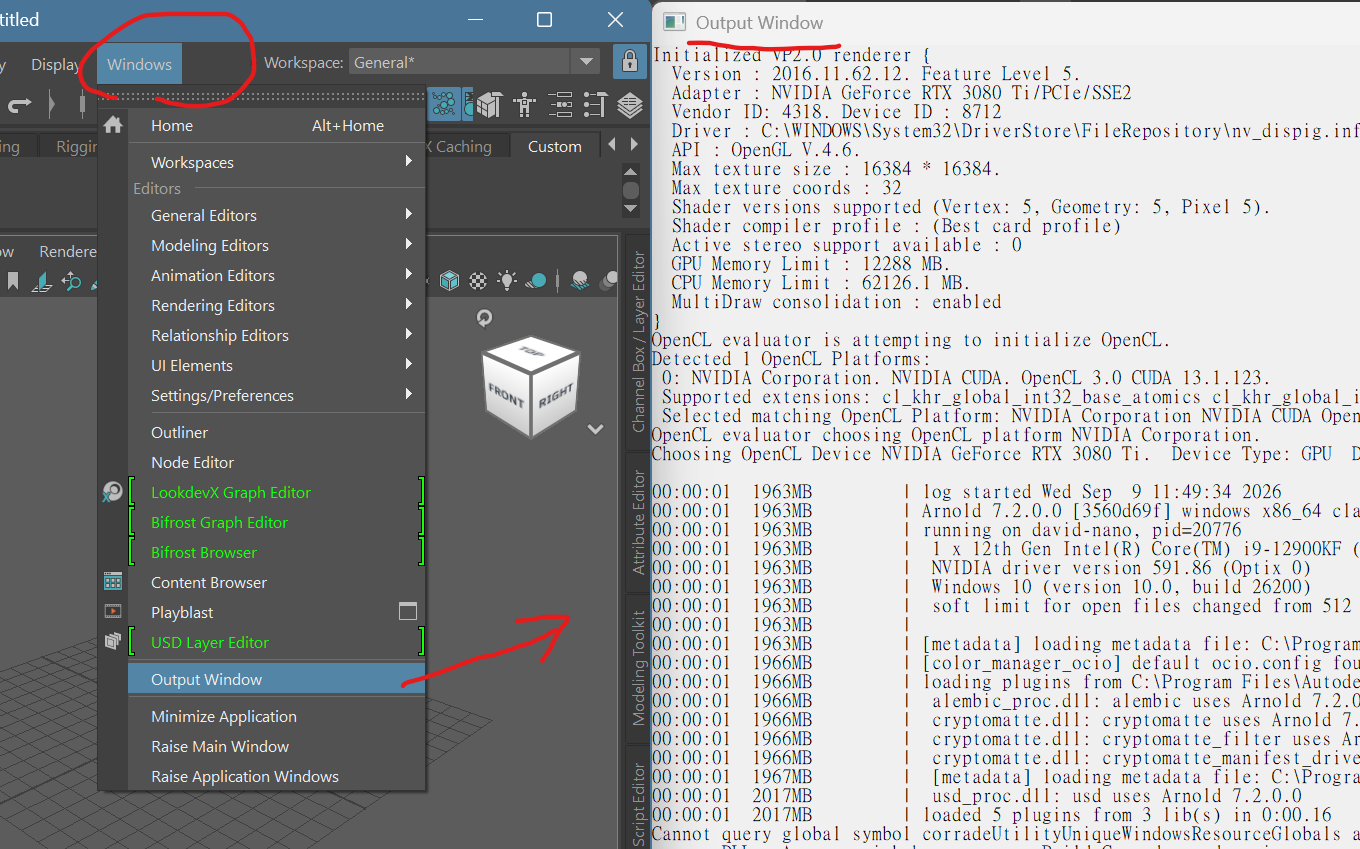
Thanks!
Version : 2016.11.62.12. Feature Level 5.
  Adapter : NVIDIA GeForce RTX 5070/PCIe/SSE2
  Vendor ID: 4318. Device ID : 12036
  Driver : C:\WINDOWS\System32\DriverStore\FileRepository\u0199286.inf_amd64_154faf4486d4b311\B025819\atig6pxx.dll.dll:32.0.21043.5001.
  API : OpenGL V.4.6.
  Max texture size : 16384 * 16384.
  Max texture coords : 32
  Shader versions supported (Vertex: 5, Geometry: 5, Pixel 5).
  Shader compiler profile : (Best card profile)
  Active stereo support available : 0
  GPU Memory Limit : 12227 MB.
  CPU Memory Limit : 59975.2 MB.
  MultiDraw consolidation : enabled
}
OpenCL evaluator is attempting to initialize OpenCL.
Detected 2 OpenCL Platforms:
 0: NVIDIA Corporation. NVIDIA CUDA. OpenCL 3.0 CUDA 13.4.62.
 Supported extensions: cl_khr_global_int32_base_atomics cl_khr_global_int32_extended_atomics cl_khr_local_int32_base_atomics cl_khr_local_int32_extended_atomics cl_khr_fp64 cl_khr_3d_image_writes cl_khr_byte_addressable_store cl_khr_icd cl_khr_gl_sharing cl_nv_compiler_options cl_nv_device_attribute_query cl_nv_pragma_unroll cl_nv_d3d10_sharing cl_khr_d3d10_sharing cl_nv_d3d11_sharing cl_nv_copy_opts cl_nv_create_buffer cl_khr_int64_base_atomics cl_khr_int64_extended_atomics cl_khr_device_uuid cl_khr_pci_bus_info cl_khr_external_semaphore cl_khr_external_memory cl_khr_external_semaphore_win32 cl_khr_external_memory_win32 cl_khr_semaphore
 Selected matching OpenCL Platform: NVIDIA Corporation NVIDIA CUDA OpenCL 3.0 CUDA 13.4.62.
 1: Advanced Micro Devices, Inc.. AMD Accelerated Parallel Processing. OpenCL 2.1 AMD-APP (3652.0).
 Supported extensions: cl_khr_icd cl_khr_d3d10_sharing cl_khr_d3d11_sharing cl_khr_dx9_media_sharing cl_amd_event_callback cl_amd_offline_devices
OpenCL evaluator choosing OpenCL platform NVIDIA Corporation.
Choosing OpenCL Device NVIDIA GeForce RTX 5070.  Device Type: GPU  Device is available.

00:00:00  2561MB         | log started Wed Sep  9 10:11:57 2026
00:00:00  2561MB         | Arnold 7.3.7.2 [f45034ce] windows x86_64 clang-15.0.7 oiio-2.6.3 osl-1.13.3 vdb-11.0.0 adlsdk-8.0.7.50 clmhub-3.1.1.43 rlm-14.2.5 optix-8.0.0 2025/05/16 13:13:53
00:00:00  2561MB         | running on DESKTOP-JMKTV6P, pid=46520
00:00:00  2561MB         |  1 x AMD Ryzen 9 9950X3D 16-Core Processor  (16 cores, 32 logical) with 63131MB
00:00:00  2561MB         |  NVIDIA driver version 616.64
00:00:00  2561MB         |  GPU 0: NVIDIA GeForce RTX 5070 @ 2557MHz (compute 12.0) with 12199MB (4408MB available) (NVLink:0)
00:00:00  2561MB         |  Windows 10 (version 10.0, build 26200)
00:00:00  2561MB         |  soft limit for open files changed from 512 to 2048
00:00:00  2561MB         |
00:00:00  2561MB         | Installing system handler with mask 255
00:00:01  2922MB         | [metadata] loading metadata file: C:\Program Files\Autodesk\bin\arnold.mtd
00:00:01  2925MB         | loading plugins from C:\Program Files\Autodesk\bin\..\plugins ...
00:00:01  2925MB         |  alembic_proc.dll: alembic uses Arnold 7.3.7.2
00:00:01  3033MB         |  usd_proc.dll: usd uses Arnold 7.3.7.2
00:00:01  3033MB         | loaded 2 plugins from 2 lib(s) in 0:00.08
Cannot query global symbol corradeUtilityUniqueWindowsResourceGlobals and make it unique
across DLLs. App may misbehave, sorry. Build Corrade as dynamic as a workaround.
[10:12:15.527] [Python] [error] Ragdoll exec errored: Python eval error raised:
Traceback (most recent call last):
  File "<string>", line 8, in <module>
ModuleNotFoundError: No module named 'launcher_ui'

Cannot query global symbol corradeUtilityUniqueWindowsResourceGlobals and make it unique
across DLLs. App may misbehave, sorry. Build Corrade as dynamic as a workaround.
[10:12:33.434] [Python] [error] Ragdoll exec errored: Python eval error raised:
Traceback (most recent call last):
  File "<string>", line 8, in <module>
ModuleNotFoundError: No module named 'launcher_ui'
Thank you @Matheus_Caetano !
We will have this fixed and release soon.
1 Like
Thank you so much <3
Hey @Matheus_Caetano ,
Thank you for your patience. The new release is out, please have a try!
1 Like